How to change the password of the FTP account in Plesk?


1. Log in to your Plesk account.


2. In the Sidebar Menu, click Websites & Domains.

plesk-websites-and-domains-menu.gif


3. Below Domain Name, click on the appropriate domain name.
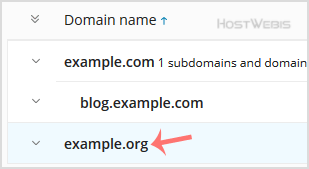
plesk-click-on-domain.gif


4. Under Files & Databases, click on the FTP Access.
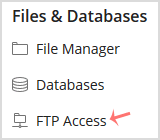
plesk-ftp-icon.gif


5. Click on the appropriate FTP account.
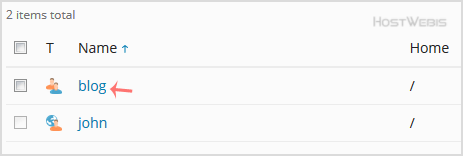
plesk-ftp-account-click.gif


6. In the Password field, enter your new password or click on the Generate button to generate one. Click Show to copy the password.
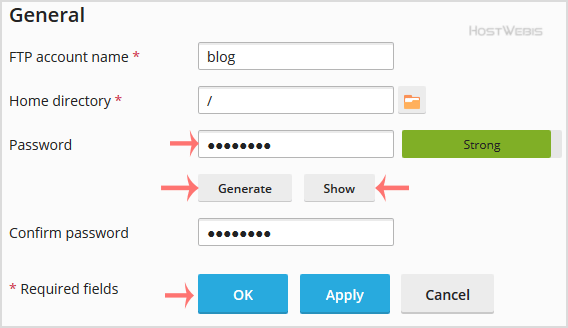
plesk-ftp-password-change-options.gif


7. Confirm with OK.


  • 0 用戶發現這個有用
這篇文章有幫助嗎?

相關文章

How to create an FTP Account in Plesk?

  1. Log in to your Plesk account.   2. In the Sidebar Menu, click Websites & Domains....

How to rename FTP account username in Plesk?

  1. Log in to your Plesk account.   2. In the Sidebar Menu, click Websites & Domains....

How to Remove an FTP user account in Plesk?

  If you have created too many FTP User accounts and some of these have not been used, and you...